Model from a drawing, sketch or photo
Give Ask Caddie a picture of what you want to make. It reads the shape and the dimensions, tells you what it assumed, and builds it with you.
Attach an image
- Paste a screenshot into the chat box with Ctrl+V,
- drag an image file onto the panel, or
- click the paperclip next to the box and choose a file.
Add a line about what you want, or just send it. Large images are shrunk to 1600 pixels before they're sent.
A real example
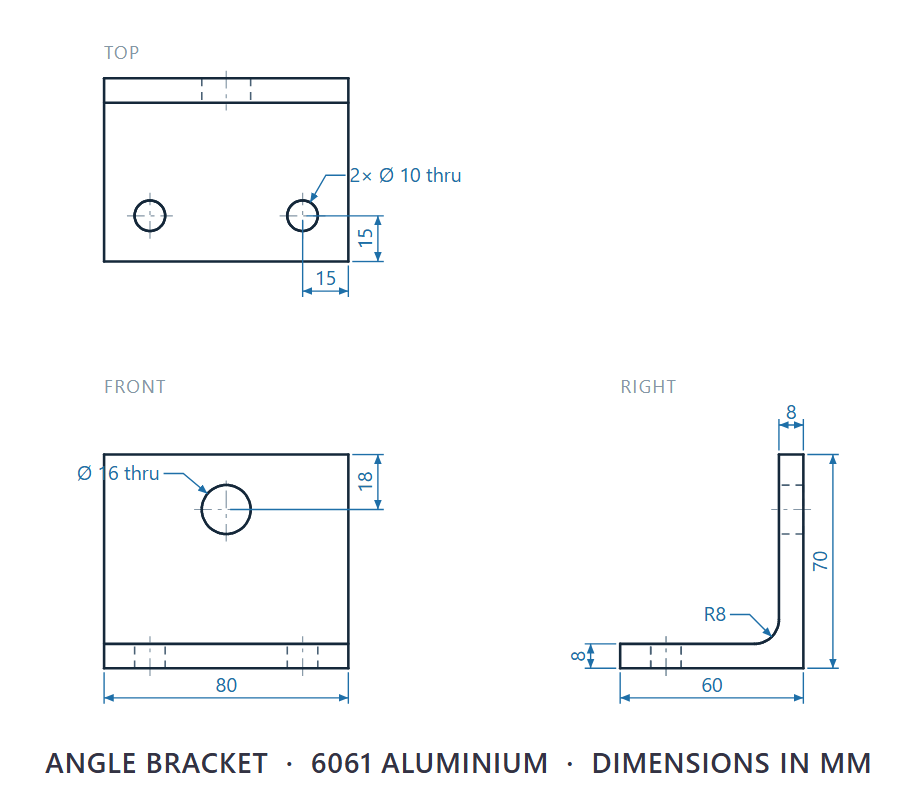
This drawing was attached to an empty part with the message "Model this bracket from the attached drawing."
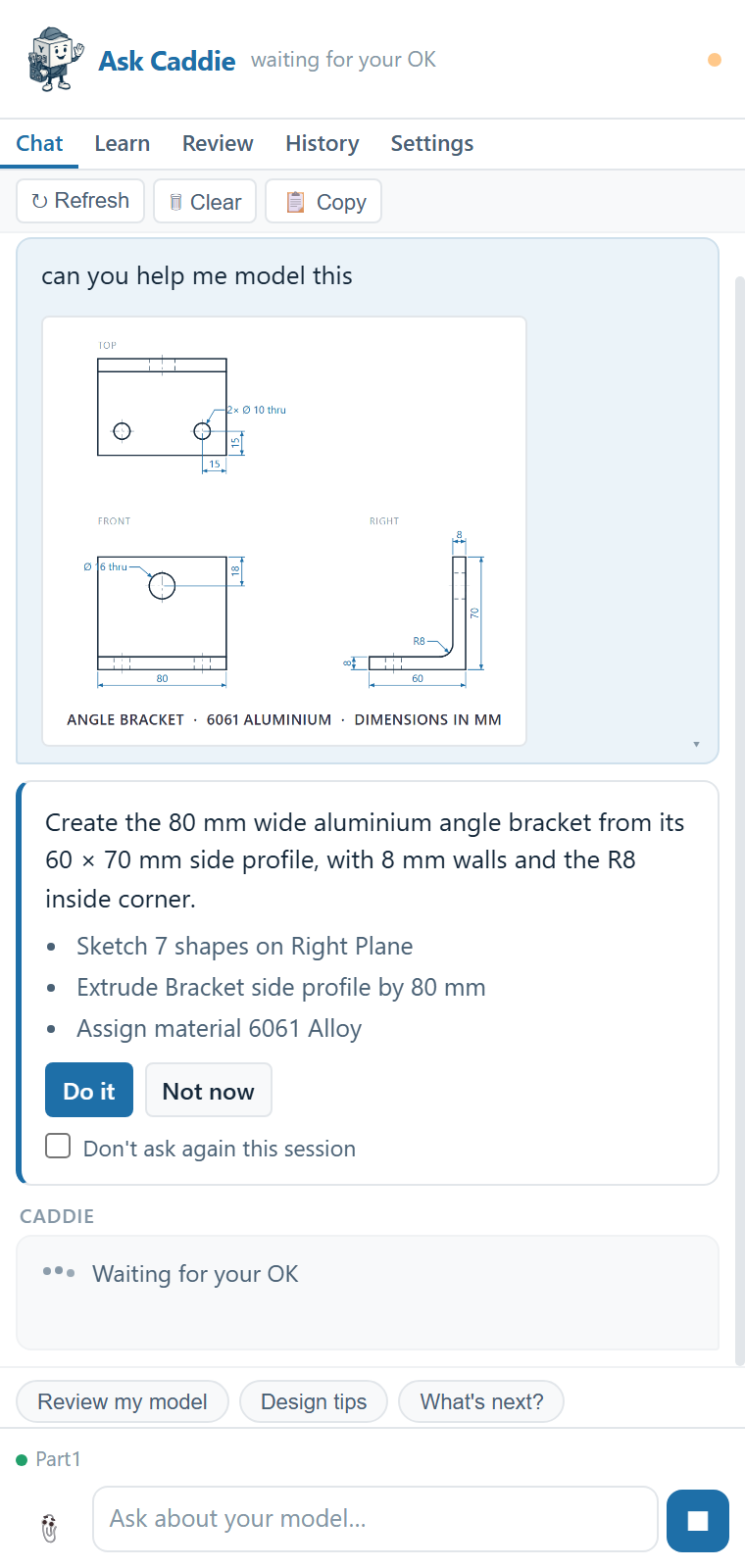
Caddie proposed the whole part as one set of changes for a single approval:
- "Build the 6061 aluminum angle bracket with an R8 inside corner and three through-holes, assuming the undimensioned hole positions are symmetric." A seven-entity side profile on the Right Plane and an 80 mm extrude, a sketch and a through-all cut for the two base holes, another for the upright hole, and 6061 Alloy.
The bracket is ready to build with the R8 inside corner and three through-holes. I assumed the undimensioned hole positions are symmetric, as drawn.
The material is SolidWorks’ 6061 Alloy; the drawing doesn’t specify a temper.
What works best
- Dimensioned drawings: Caddie uses the numbers as given, including the material and units if they're on the drawing.
- Hand sketches: write the dimensions on them. Caddie asks about anything it can't read.
- Photos of real parts: include one known size, such as the overall length or a hole diameter, so Caddie can scale the rest. Expect a question or two.
- Screenshots of other CAD software or of a PDF drawing work the same way.
Prefer to model it yourself?
Ask Caddie to guide you through modeling it and it starts a guide instead, with each step highlighted. To practice with answers checked, use the parts on the Learn tab.
Good to know
- Caddie builds with sketches, extrudes, cuts, fillets, chamfers, shells, mirrors and patterns. For revolves, sweeps and lofts it guides you through the steps instead.
- It can misread a dimension or a view. Check the assumptions it lists, and measure the result.
- Attached images are sent to OpenAI so they can be read. Don't attach anything you aren't allowed to share. See Privacy and data.