Model from a drawing, sketch or photo
Give Caddie a picture of what you want to make. It reads the shape and the dimensions, tells you what it assumed, and builds it with you.
Attach an image
- Paste a screenshot into the chat box with Ctrl+V,
- drag an image file onto the panel, or
- click the paperclip next to the box and choose a file.
Add a line about what you want, or just send it. Large images are shrunk to 1600 pixels before they're sent.
A real example
This drawing was attached to an empty part with the message "can you help me model this".
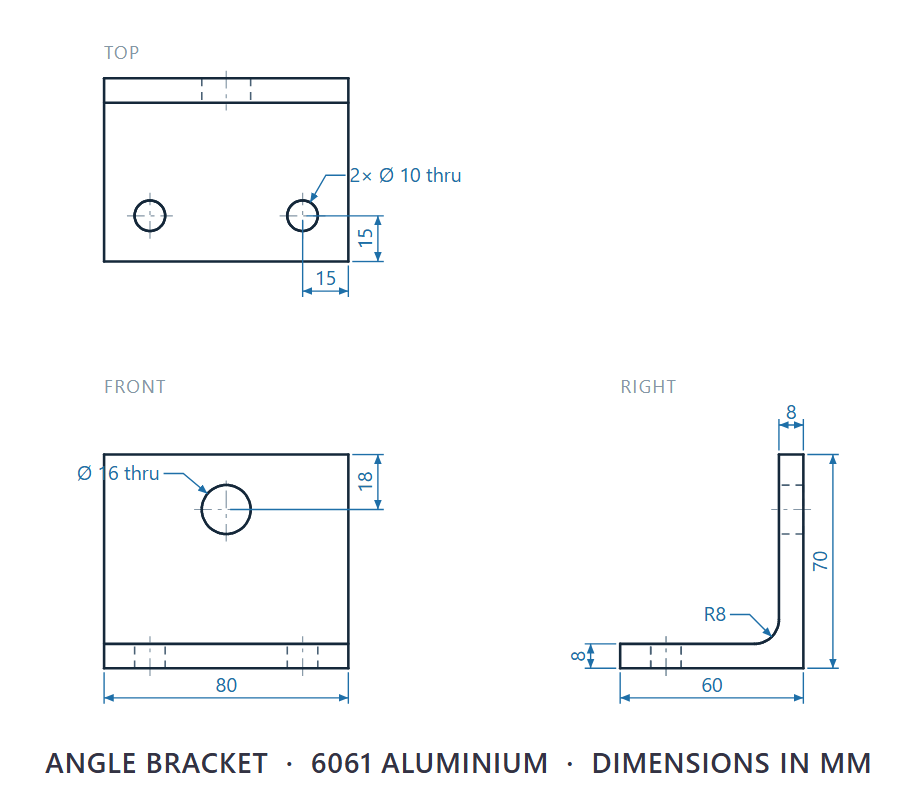
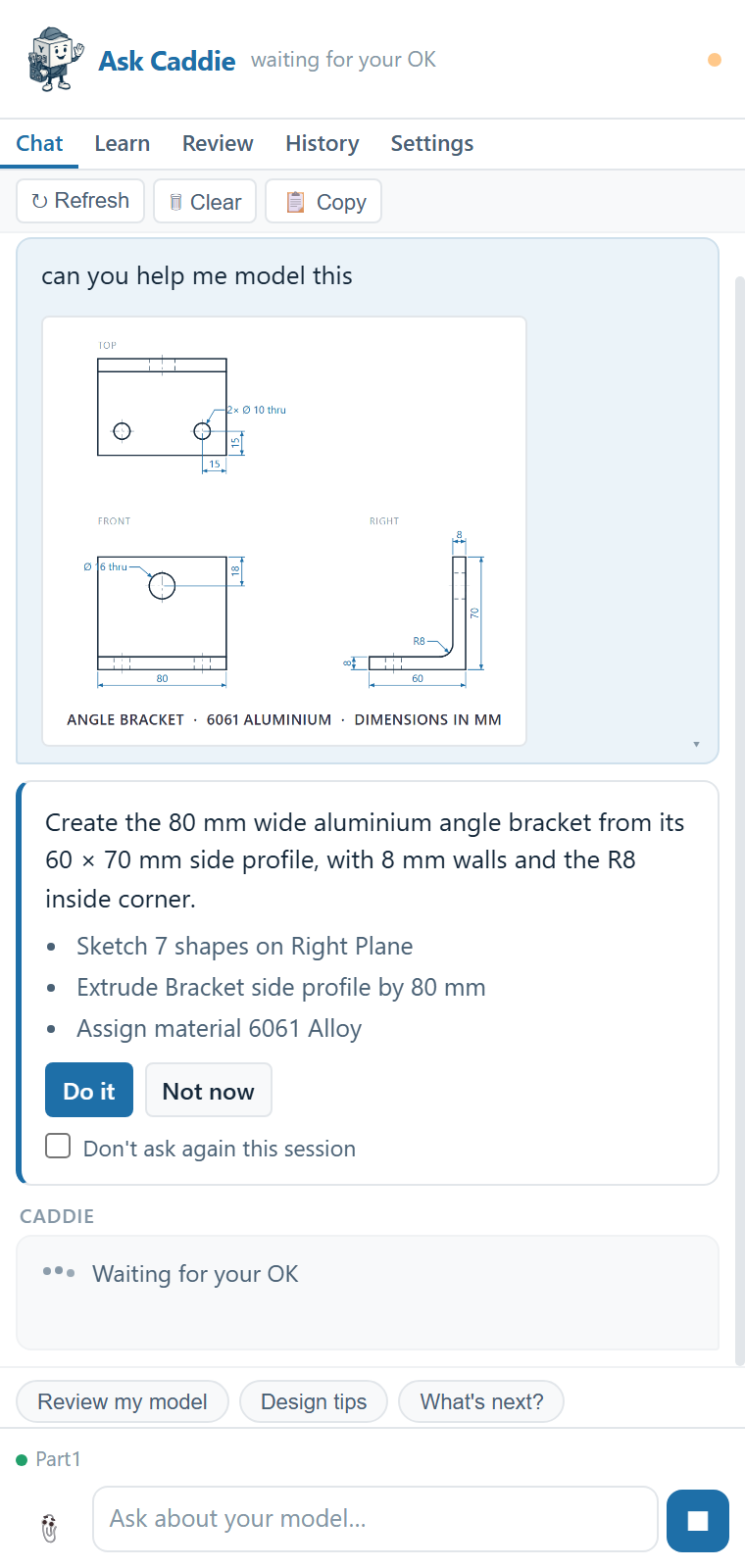
Caddie split the build into two approvals and checked the body before adding the holes:
- "Create the 80 mm wide aluminium angle bracket from its 60 × 70 mm side profile, with 8 mm walls and the R8 inside corner." A sketch of six lines and an arc on the Right Plane, an 80 mm mid-plane extrude, and 6061 Alloy.
- "Add the centred Ø16 upright hole 18 mm below the top and the two Ø10 base holes 15 mm from the front and side edges, assuming the left base hole mirrors the right." Two sketches and two through-all cuts.
Part1 · after both changes
You
can you help me model this
Caddie
The 6061 aluminium angle bracket is modelled with 8 mm walls, the R8 inside corner and all three through-holes. I assumed the two base holes are symmetric and the upright hole is centred across the 80 mm width, as shown.
What works best
- Dimensioned drawings: Caddie uses the numbers as given, including the material and units if they're on the drawing.
- Hand sketches: write the dimensions on them. Caddie asks about anything it can't read.
- Photos of real parts: include one known size, such as the overall length or a hole diameter, so Caddie can scale the rest. Expect a question or two.
- Screenshots of other CAD software or of a PDF drawing work the same way.
Prefer to model it yourself?
Say "guide me through modelling this" and Caddie starts a guide instead, with each step highlighted. To practise with answers checked, use the parts on the Learn tab.
Good to know
- Caddie builds with sketches, extrudes, cuts, fillets, chamfers, shells, mirrors and patterns. For revolves, sweeps and lofts it guides you through the steps instead.
- It can misread a dimension or a view. Check the assumptions it lists, and measure the result.
- Attached images are sent to OpenAI so they can be read. Don't attach anything you aren't allowed to share. See Privacy and data.