Practise for the CSWA and CSWP
The Learn tab has exam-style parts with a drawing, a timer and answers checked against your model, plus quick drills for the other certifications.
How a practice part works
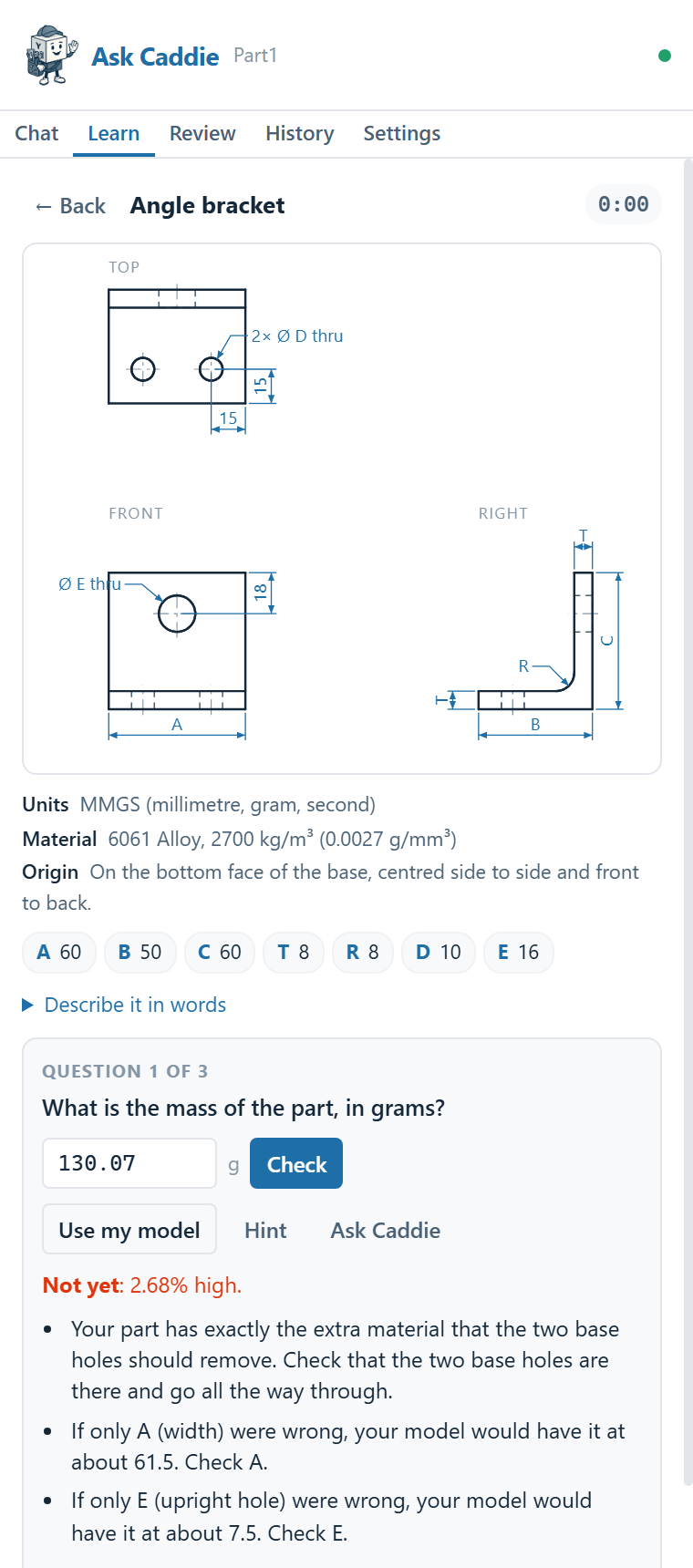
- Open the Learn tab and pick a part. Each has a drawing, the values for its lettered dimensions, the units, the material and the origin, and three questions.
- Model it in a new SolidWorks part, with the units and material given.
- Answer. Type the number and click Check, or click Use my model and Caddie reads the mass, volume or centre of mass straight from your part.
- If it's wrong, click Hint. It tells you what's off without the answer, such as "Your part has exactly the extra material that the two base holes should remove."
- Next question. Later questions change a dimension ("Change A (width) to 70"), as the exams do, so you edit your model instead of starting again.
The parts
| Track | Parts | Time |
|---|---|---|
| CSWA style | Mounting plate, Step block, Slotted link | 8 to 10 minutes |
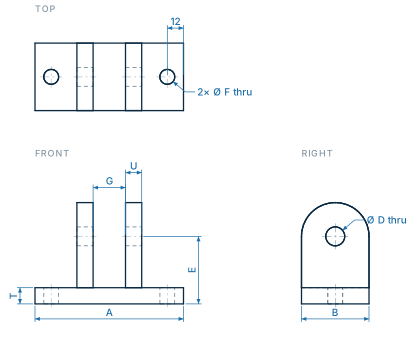
| CSWP style | Bolted flange, Angle bracket, Pillow block, Keyed hub, Pocketed cover, Rocker arm, Clevis | 12 to 15 minutes |
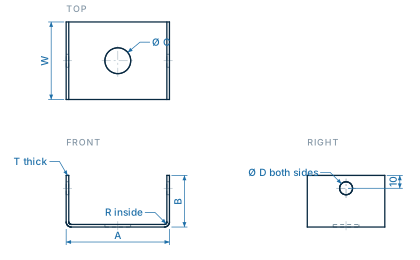
| Sheet metal | Sheet-metal angle, Sheet-metal channel (including the flat pattern length) | 12 minutes |
Dimensions are chosen from realistic values each time, so you can practise the same part again. Every answer key was checked by building the part in SolidWorks: 24 builds, all within 0.003% on volume.
Exam conditions
Turn on Exam conditions on the Learn tab to practise like the real thing: hints and Ask Caddie are hidden, answers are saved without being checked, and you see your results at the end.
When you're stuck
- Hint says what's off, not the answer.
- Ask Caddie sends the problem, your answer and your model to Caddie, which coaches you through it.
- Show answer gives you the key when you want to move on.
- Build the answer builds the correct part in a new SolidWorks document, so you can compare it with yours feature by feature.
Mounting plate (CSWA style) · Part1, one corner hole missing
You
why is mine wrong
Caddie
Your part is about 0.9% too heavy, which points to one missing Ø10 corner hole or one that doesn’t cut all the way through. The extra material matches one full corner hole, and your centre of gravity is slightly off-centre too. Check Sketch2 and Cut-Extrude1 for all four corner holes cutting through the plate.
Mounting plate (CSWA style) · Part1 in Plain Carbon Steel
You
my mass is way off, what did i do
Caddie
Your part is set to Plain Carbon Steel instead of the required 6061 Alloy, which is why it weighs 687.98 g. Your volume matches the practice problem exactly, so the geometry is right; it’s the material density making it too heavy.
Drills
For the knowledge side, drills are short multiple-choice questions, each with an explanation. There are 56 across 12 topics:
CSWA basicsCSWP coreSheet metal (CSWPA-SM)Weldments (CSWPA-WD)Surfacing (CSWPA-SU)Mold Making (CSWPA-MM)Drawing Tools (CSWPA-DT)SimulationFlow SimulationMBD and DimXpertPDMAPI and macros
About the real exams
- Practice parts are in the style of the exams, not copies of real exam questions.
- Caddie won't help during a real certification exam or any graded test, even if asked. The exam has to be your own work.
- Exams are run by Dassault Systèmes' certification programme. Check its site for current formats, times and passing scores.